Choose the right route to Nasdara
To test Badlands-related updates, install DayZ Experimental, launch that client, and join a compatible Experimental server. To explore Nasdara, the Badlands desert map, confirm that your chosen server actually runs Nasdara. Badlands launched on October 15, 2026, so you can also play the released expansion through the regular game.
The distinction matters because the earlier “Road to Badlands” tests introduced preparation work and selected features. Installing Experimental did not automatically unlock the desert map, and a changed menu background was not evidence that Nasdara was available.
The official DayZ website confirms that Badlands and Update 1.30 launched on Steam, Xbox, and PlayStation. Experimental remains relevant for testing updates, including patches announced after release.
| Milestone | What became available | What it means for players |
|---|---|---|
| July 1, 2026: Update 1.29 Experimental | Engine preparation, stability work, and sandbox adjustments | “Road to Badlands” described preparation for the expansion, not automatic Nasdara access. |
| September 16, 2026: Update 1.30 Experimental | Selected additions, including motorbikes | Players could test features while some expansion assets remained withheld. |
| October 15, 2026: Badlands launch | Released expansion and Update 1.30 | The regular release became an option for playing Nasdara. |
| October 16, 2026: PC Experimental patch announcement | Further 1.30 patch testing | Experimental continued receiving test updates after launch. |
Choose your goal before downloading anything: exploring the released desert map and helping test an upcoming patch can require different clients and servers. For a Nasdara test session, check the server’s map and the applicable test announcement.
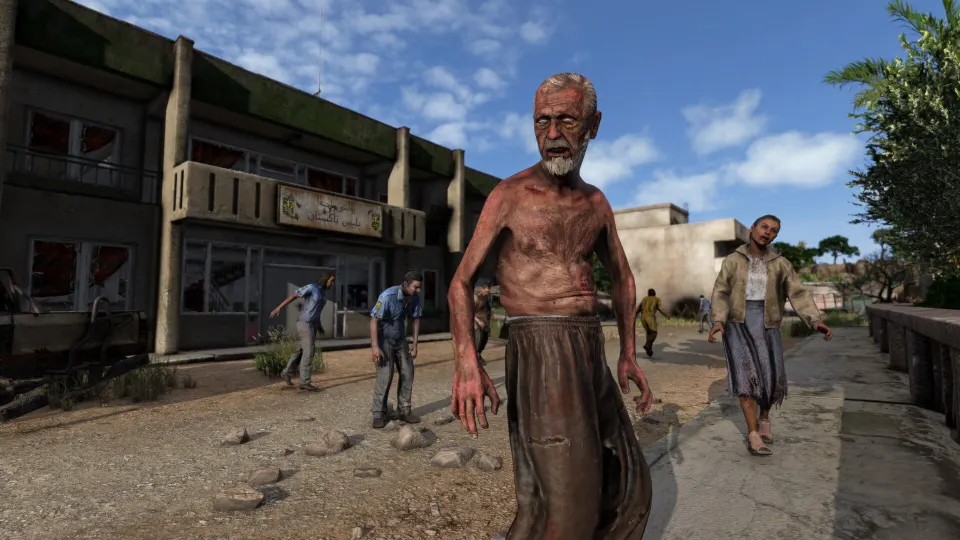
Install the correct client and join a test server
On Steam, the essential step is selecting the playable Experimental client. DayZ Experimental Server is a hosting tool. Installing it does not give you the client needed to join someone else’s game.
Follow this sequence:
- Find DayZ Experimental in your Steam library. Look among your games. If you only see server software or development tools, check whether library filters are hiding game entries.
- Install the client and finish its updates. The client and server must run compatible builds. Opening the regular DayZ installation will not substitute for launching Experimental.
- Start DayZ Experimental. Open its launcher and use the server browser. A Steam community discussion documents the client-versus-server confusion and directs players to the launcher’s Servers and Official options.
- Choose a server for the content you want. Check its map and test purpose. A server offering vehicle testing does not necessarily offer the Badlands desert map.
- Check version and mod requirements before joining. A server can reject your connection when its build or required signed mods differ from yours.
- Join once those details match. If your goal is simply to play released Badlands, return to the regular game and choose a Nasdara server instead.
The Steam discussion dates to 2021, so treat its interface directions as older guidance. Its useful distinction is the separate software: the Experimental client is for playing, while Experimental Server is for hosting.
On Xbox, use the standalone DayZ Experimental client for supported tests. Platform rollouts can differ: the September 1.30 announcement opened testing on Steam first and said Xbox would follow several days later. A PC test announcement therefore does not establish simultaneous Xbox availability.
PlayStation received the released Badlands expansion. The September Experimental announcement covered Steam and Xbox and did not describe a PlayStation Experimental client.
Understand what the Badlands tests include
The official 1.30 Experimental announcement explicitly said that some expansion assets would be held until release. Motorbikes were an exception because the developers wanted additional testing. This explains why players could encounter Badlands-related changes without gaining access to every part of the expansion.
| Test addition | What players could examine | Why it mattered |
|---|---|---|
| Moped and enduro motorbikes | Two vehicle types with leaning and crash physics | The new two-wheel simulation needed broader testing. |
| Inventory icons | More than 150 revised icons | Changes aimed to improve consistency and recognition. |
| Infected attacks | Attacks responding to target height and a running heavy attack | Encounters could behave differently across stances and uneven ground. |
| Selected firearm finishes | Updated color variants for certain firearms | These provided a preview of some visual additions. |
For vehicle testing, the developers announced “Many Motorbikes” servers. Those servers were intended to support focused testing, following the approach previously used for cars. Choose one when the announced test is active and your purpose is to examine motorbike behavior.
The moped had three fixed colors, while the enduro supported interchangeable colored plates. Both used the new simulation. During a crash, the rider could fall unconscious, so the rider’s own view would not necessarily show the ragdoll behavior that other players saw.
Animation changes also came with a warning for modders: animation-related mods could encounter problems. That warning matters when troubleshooting a modded test session.
Send reproducible problems through the official Feedback Tracker referenced by the developers. Include the behavior you observed and the circumstances that triggered it, particularly for vehicle physics, infected attacks, or performance issues.
Fix missing maps and connection problems
When a test session fails, identify whether the problem concerns the client, the server build, or map availability. These are separate checks, and changing one will not necessarily resolve the others.
| Symptom | What to check | Next step |
|---|---|---|
| You installed something but cannot enter the game | Whether its name includes “Experimental Server” | Install and launch the playable DayZ Experimental client. |
| Only other maps appear | Whether any listed server actually runs Nasdara | Check map availability; use the regular release for released Badlands servers. |
| The server reports a version mismatch | Your client build and the server’s build | Complete client updates and select a compatible server. |
| A mod-related rejection appears | Required mod versions and signatures | Match the server’s required signed mods. |
| A previously available test server disappears | Announced maintenance or patch deployment | Check official service updates before troubleshooting your installation. |
| Official Nasdara servers have long queues | Other Nasdara servers on the appropriate branch | Consider community servers and check their requirements. |
Seeing Chernarus or Livonia does not itself show that your installation is broken. It may simply mean the available servers are running those maps. Neither Badlands-themed menus nor new items prove that a particular server runs Nasdara.
Maintenance can also interrupt access. On October 16, the developers announced a PC Experimental patch with longer-than-usual downtime. That announcement explains a possible interruption during that deployment; it should not be treated as a permanent server status.
For released Badlands, the developers also announced additional Nasdara servers and recommended community servers when official queues were long. Select a community server compatible with the client you are using.
If you host your own server, map configuration becomes relevant. Nasdara uses the DayZ dedicated server, with the mission selected through serverDZ.cfg. The mission setting must match the installed Nasdara mission folder exactly. On Linux, capitalization matters.
The GameServerKings setup article distinguishes stable server app ID 223350 from Experimental server app ID 1042420. Its panel locks that setting, so customers cannot switch branches themselves through that variable.
Changing the mission does not change the server branch. Back up the world before switching maps, and never delete mpmissions/ to force a download: mission folders contain saved world data.
FAQ
The most common confusion about how to play dayz badlands experimental is whether installing the test client automatically provides the Nasdara map. Client access, server compatibility, and map availability are separate requirements.
Do I need Experimental to play Badlands now?
No. Badlands and Update 1.30 launched on October 15, 2026. Use the regular game for the released expansion and select a Nasdara server. Choose Experimental when you specifically want to participate in an available test and can find a compatible server.
Does Experimental give me Badlands for free?
Do not treat Experimental access as proof of free access to the expansion. Check the Badlands store requirements and any conditions attached to a particular test. The September Experimental announcement described selected test content and separate creator access; it did not promise unrestricted public Nasdara access.
Why were creators playing Nasdara before everyone else?
Bohemia announced a Creator Program offering creators and press an exclusive first look at Nasdara. That preview access was separate from ordinary public Experimental participation. Seeing a stream of the desert map therefore did not mean the same map was available in every player’s test client.
Should I install DayZ Experimental Server?
Only if you intend to host an Experimental server. Players joining existing servers need DayZ Experimental, the playable client. The similar names can be misleading, especially when Steam displays games and tools together. Check the application name before starting a large download.
Can the same update number still produce a version mismatch?
Yes. The broad label “1.30” does not establish that two installations have the same build. Experimental patches can change the build within that update series. Complete the client update and check that the server supports it; mod requirements can create a separate compatibility problem.